Soft wake-up
Match morning light with a gentle temperature shift.
Eye Sentry is a lightweight, beautiful, and calm eye-care assistant. It keeps your screen warm, balanced, and focused for long work sessions.
From warmth to rhythm, every detail is designed for long, comfortable sessions.
Warm, neutral, and cool presets with quick switching to your best comfort level.
Work and rest cycles keep your eyes fresh without breaking your flow.
Minimal interface with live preview so you can stay on task.
Eye care becomes a flow, not another thing to remember.
Match morning light with a gentle temperature shift.
A low-distraction UI keeps brightness and warmth steady.
Break reminders help your eyes recover and refocus.
Real product screenshots, explained with highlights.
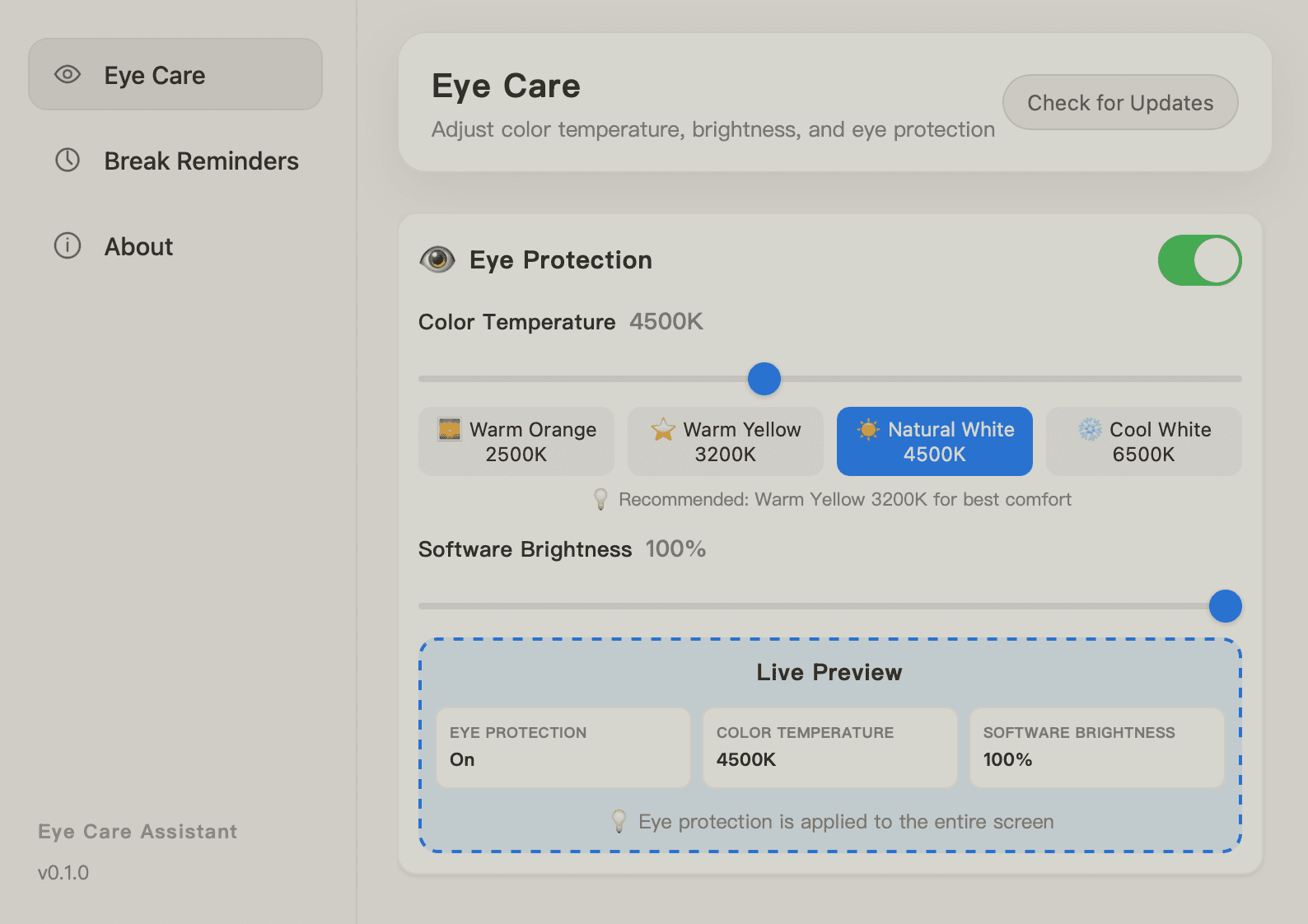
Control temperature and brightness for a softer screen.
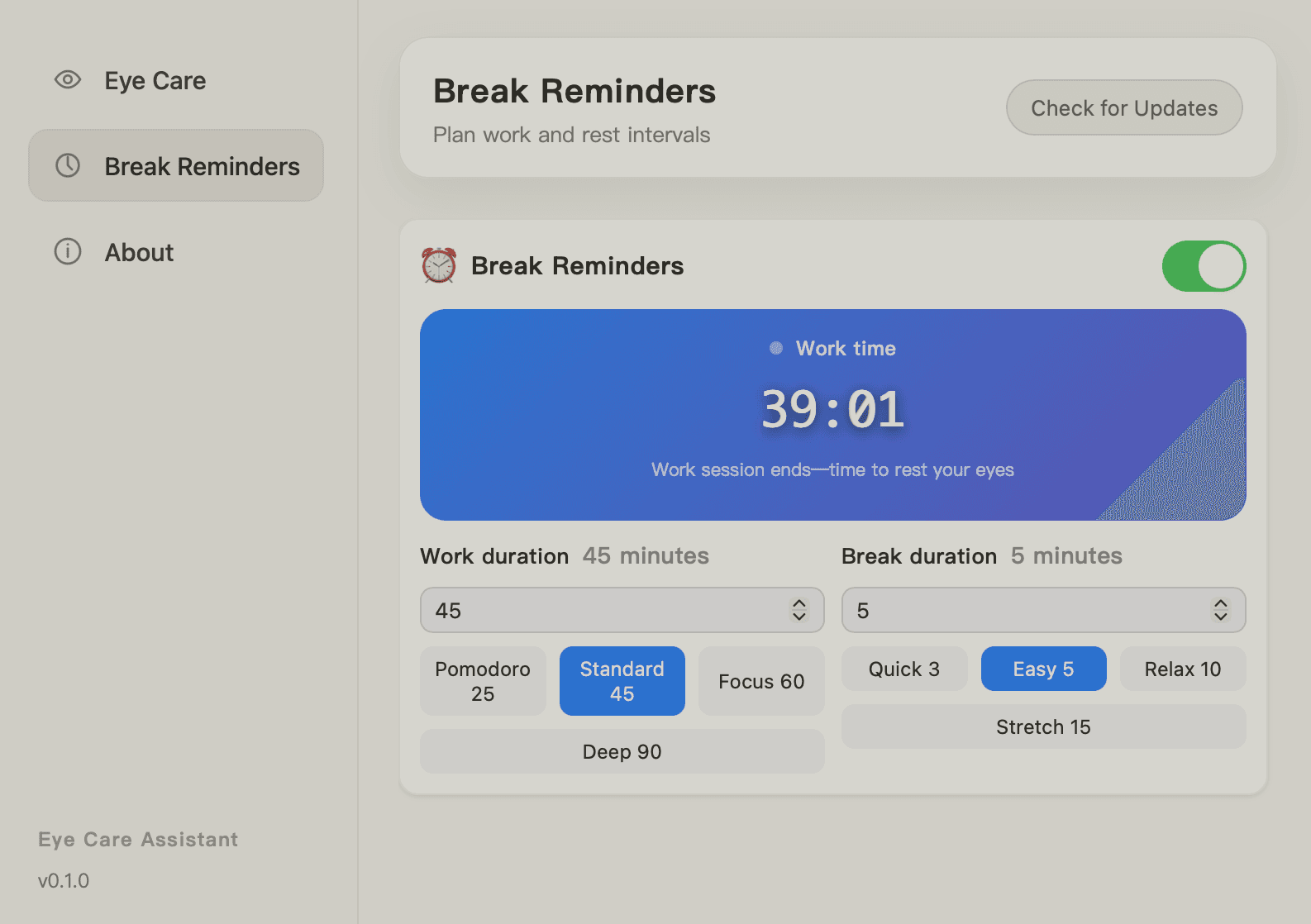
Balance work and breaks to protect your focus.
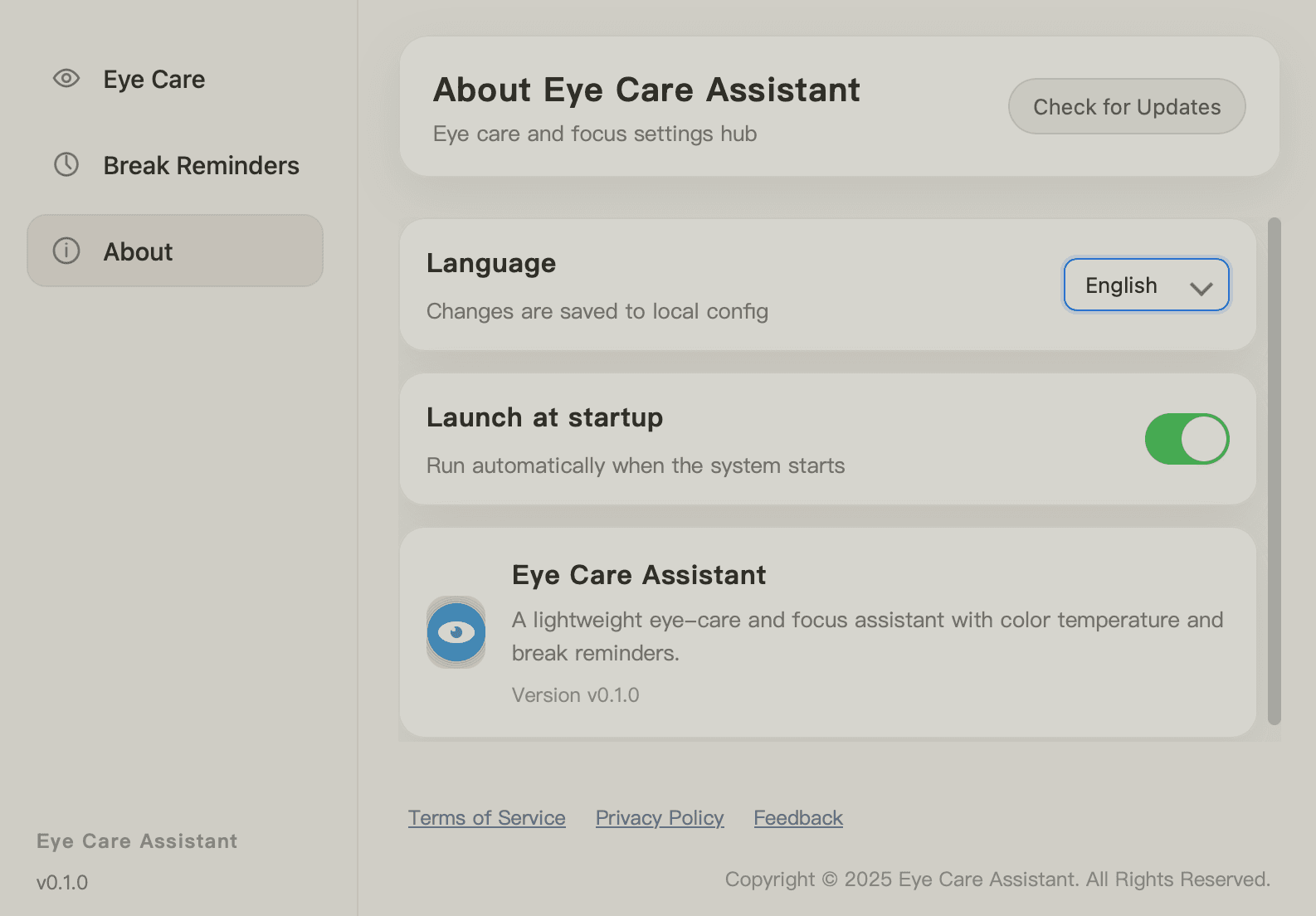
Stay simple and switch languages instantly.
Stable, lightweight, and private by design.
Runs quietly in the background with minimal battery impact.
No personal data leaves your Mac. Everything stays local.
Menu bar controls and shortcuts keep adjustments one step away.
Every tweak is visible immediately, so you never guess.
20+ high-value articles to build a calmer screen rhythm.
Install, temperature, breaks, and focus improvements
Eye Sentry fits into daily routines with calm confidence.
The warm mode feels natural. My eyes are noticeably less tired by afternoon.
The presets are tasteful and the transitions are smooth like a dimmer.
Break reminders are gentle but effective. I actually stand up more.
macOS 12+ with Apple Silicon (aarch64) and Intel (x86_64) builds.
One command to detect your chip, download, install, and launch:
brew install --cask rustx-labs/tap/eye-sentryYes. Eye Sentry applies color temperature and brightness across all displays.
No. The app runs locally and does not upload personal data.
Reminders are adjustable, so you can keep them gentle or more assertive.
Yes. Use the sliders for precise tuning and save your favorite presets.
Yes. Enable auto-start in settings.
You can pause eye-care mode or switch to a neutral profile anytime.
We iterate in small steps, focusing on stability and comfort improvements.